DCMA PRODUCT · iPhone & iPad
CleanMyTV
Your TV.
Your kind of Home.
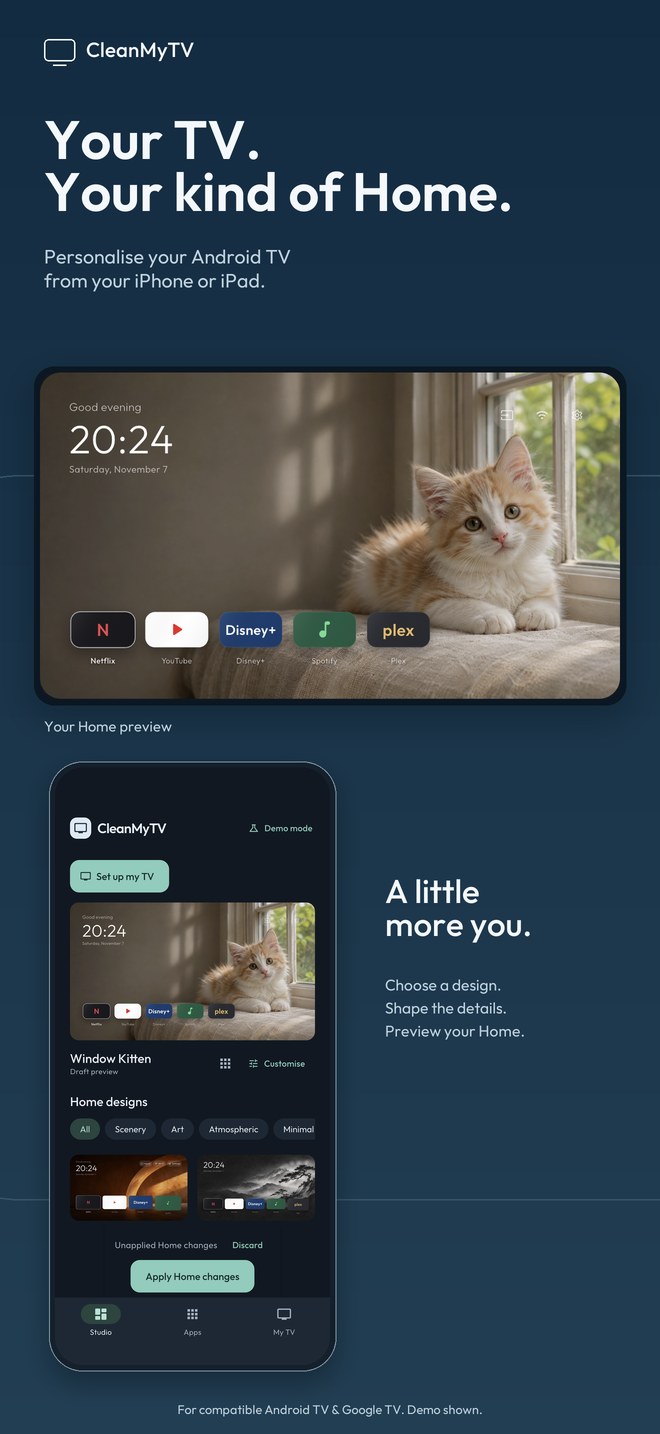
Give your compatible Android TV or Google TV a Home screen that feels like yours. CleanMyTV connects directly over your local network, bringing Home design, favourite apps and TV storage into one companion.
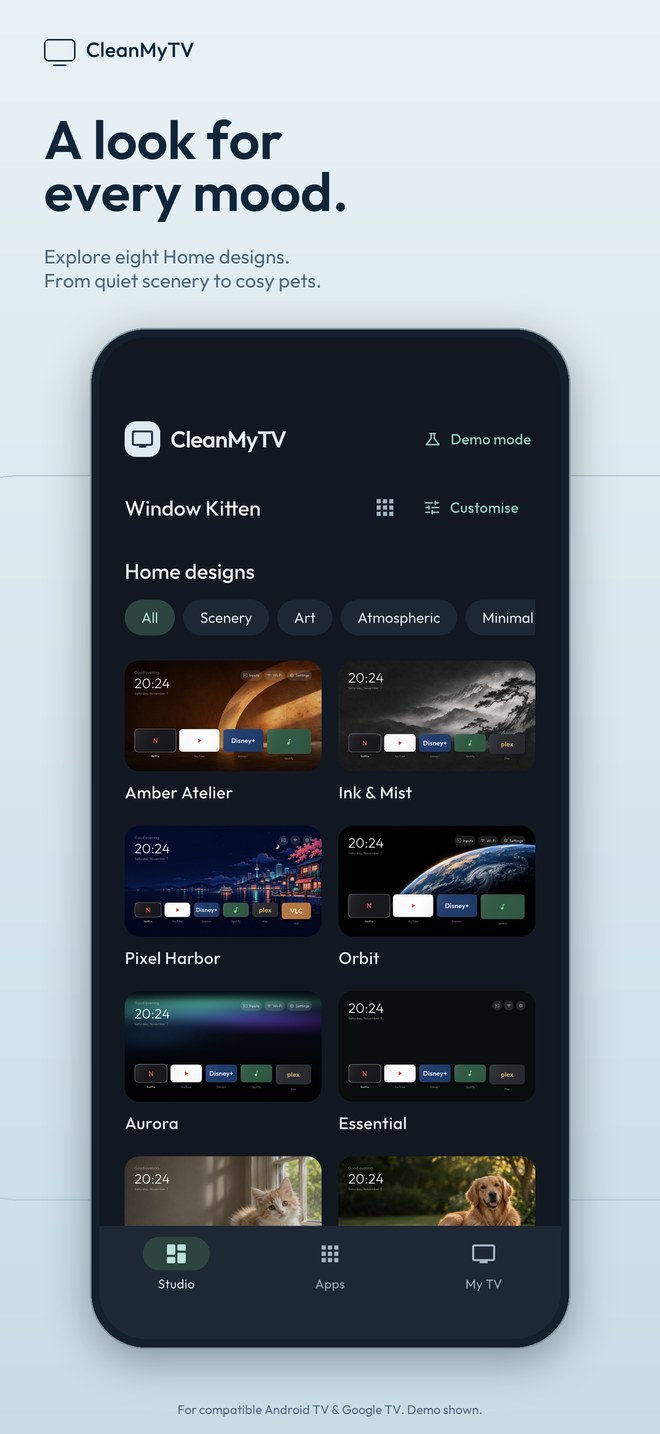
- Find a look you loveExplore eight public Home designs, from quiet scenery and pixel art to a photorealistic kitten and golden retriever.
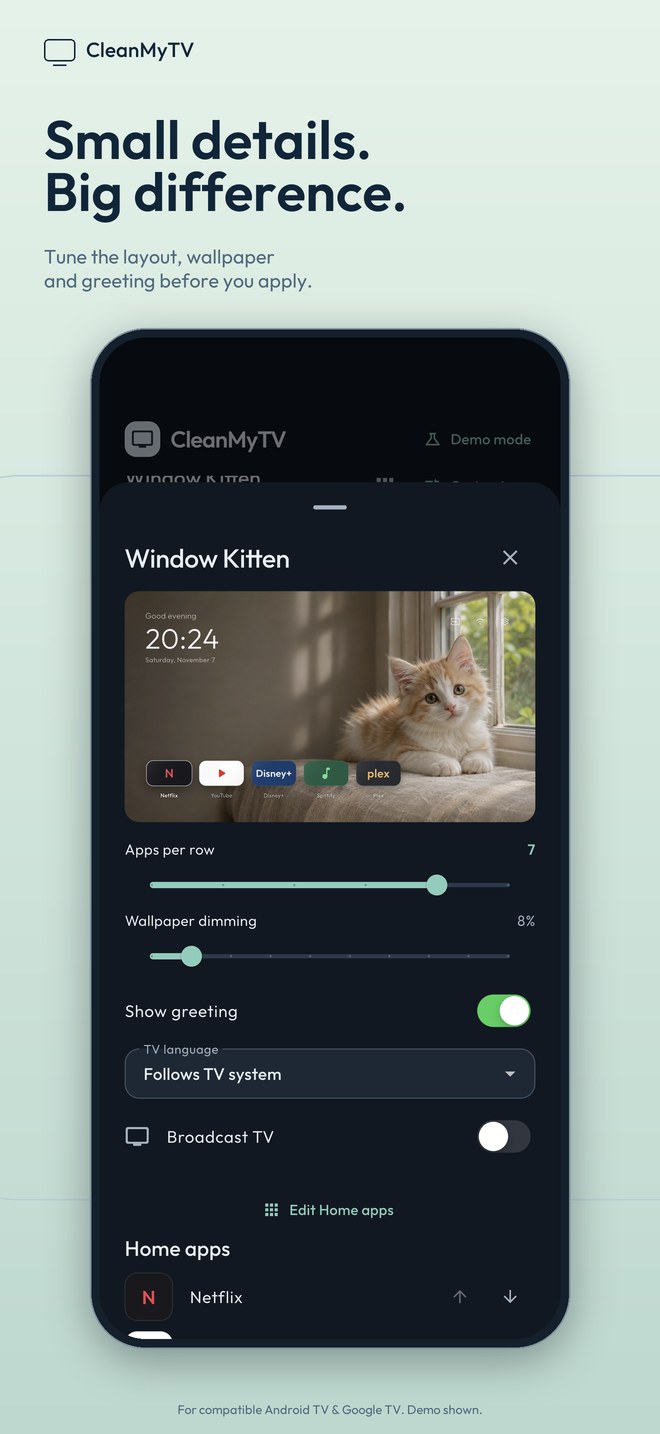
- Shape the detailsPreview app columns, wallpaper dimming and greetings before applying your design.
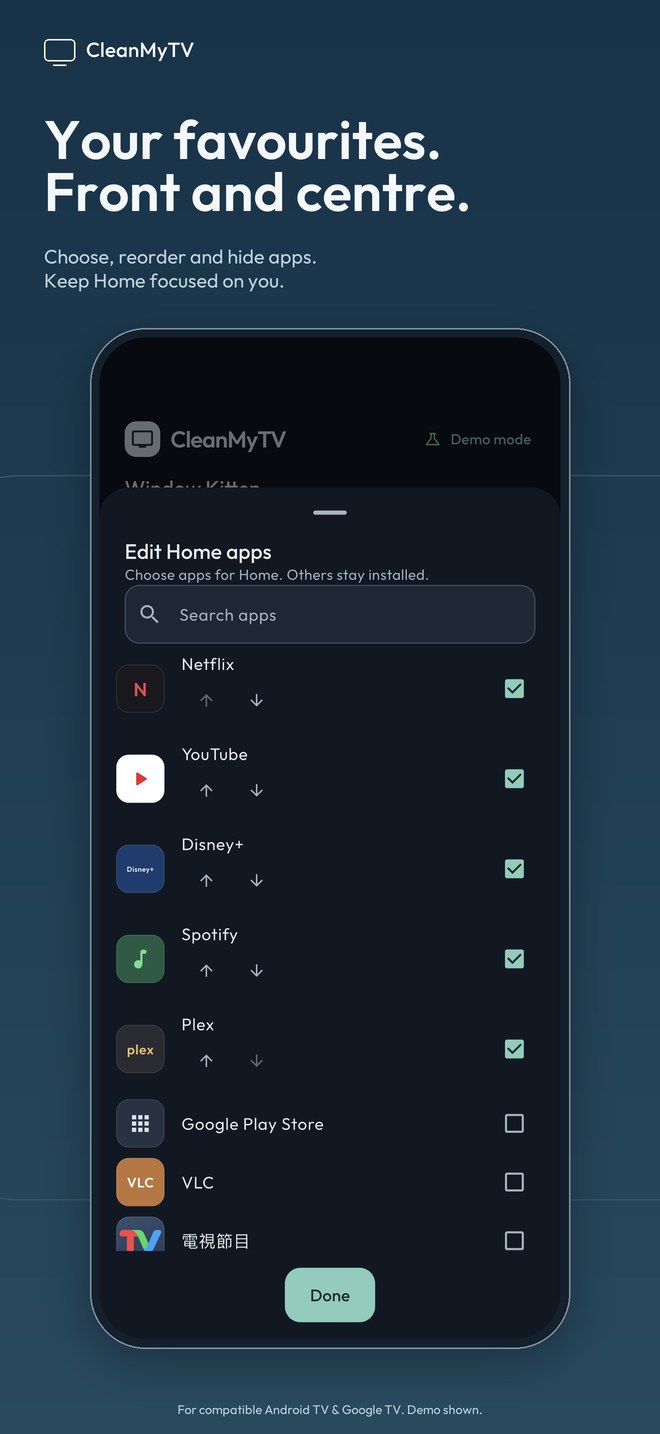
- Put favourites firstChoose and reorder Home apps. Removing a shortcut leaves its app installed.
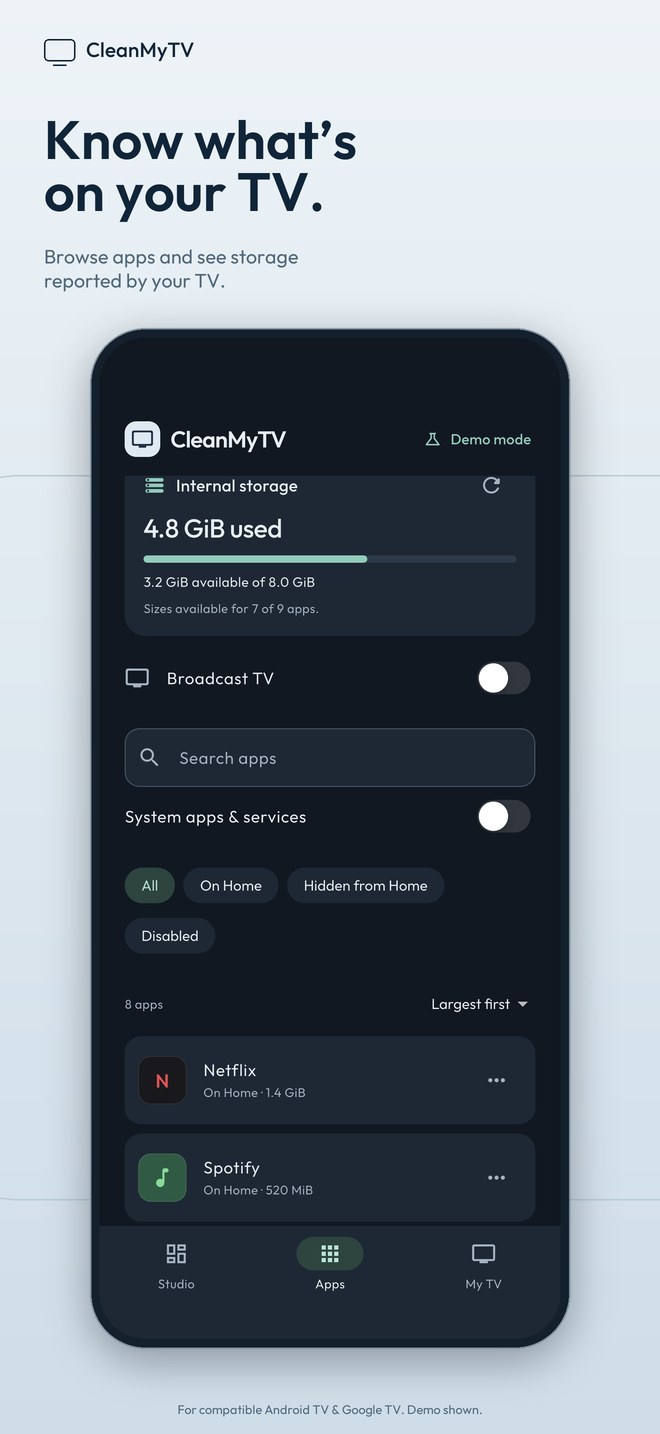
- Know what is on your TVBrowse installed apps and inspect storage figures reported by Android. App-size reports can be cached or unavailable.
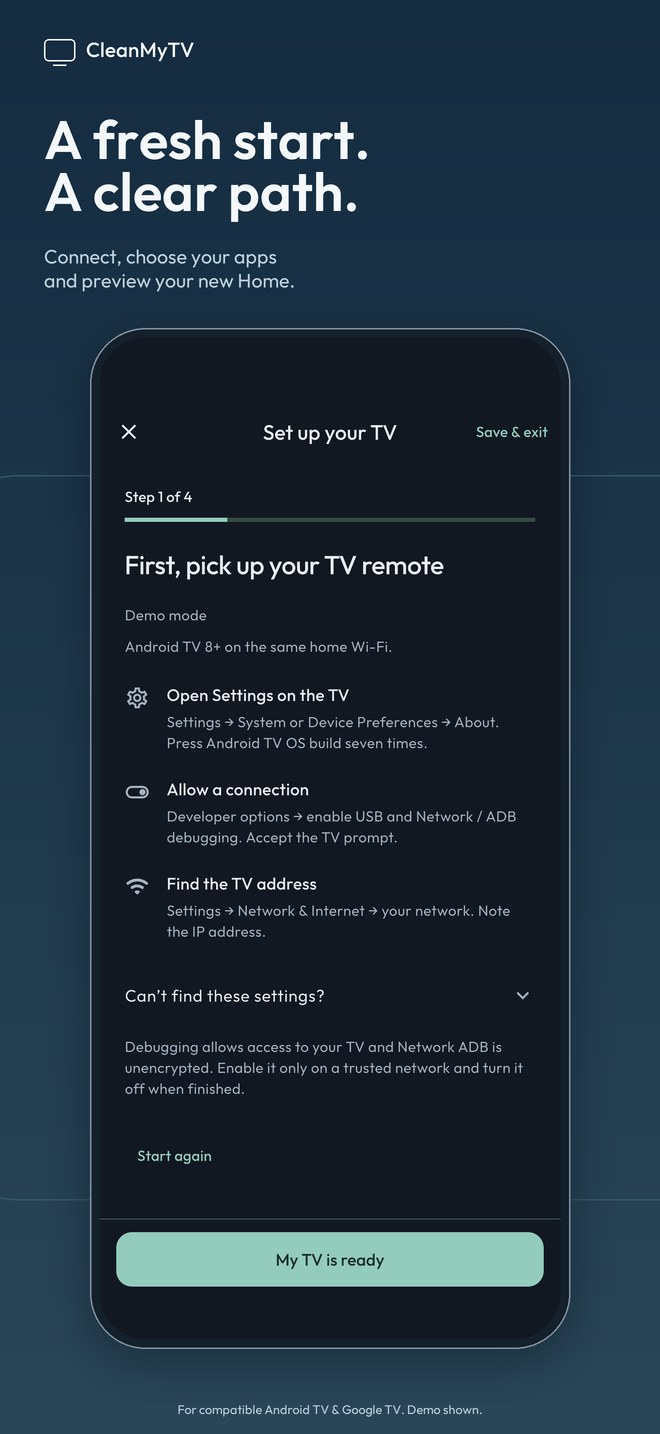
- Follow a guided setupConnect, choose your apps and preview a design. Keep an original Home record for the supported restore path.
Screenshots show the current app’s built-in demo with public templates. The TV preview illustrates the launcher layout. Requires a compatible Android TV or Google TV running Android 8 or later, TV-side authorisation and the same trusted local IPv4 or IPv6 network. Connect with legacy Network ADB or use six-digit pairing for supported encrypted Wireless debugging. IPv6 supports unique-local addresses and scoped link-local addresses.
CleanMyTV is an independent companion, built with the CleanYourTV launcher source. It is not affiliated with Google or any TV manufacturer.